When a drive or SD card fails, is wiped by mistake or stops showing up, your photos and documents may still be there. Stop using it and tell us what happened: our data recovery specialists find out what failed and what can come back. We come to you, at home or at work.
In many cases, yes, as long as the drive is not used any further. Our data recovery experts recover photos, documents and emails from hard drives, SSDs, SD cards, USB sticks and RAID or NAS storage, whether the drive has failed, been wiped or no longer shows up. You get a quote before any work starts.
What we recover
Data recovery for every kind of storage.
Inside a laptop or PC, in an external case, in a camera or in the office cupboard.
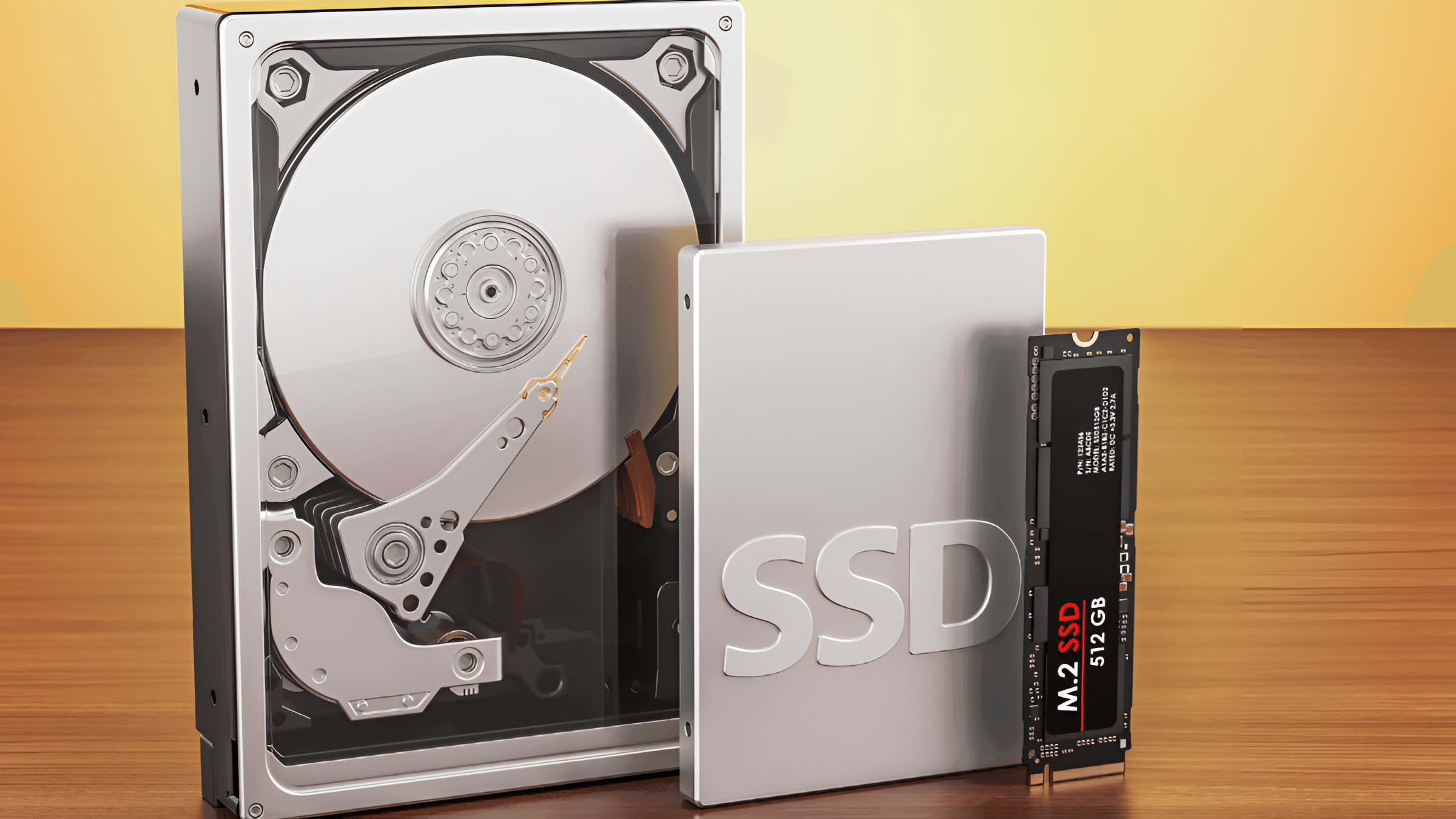
Hard drives and external drives
Drives that click, won’t spin up or are no longer recognised, inside a computer or in an external case.
SSDs and NVMe drives
Solid-state drives that die without warning or simply vanish from the system.
SD cards, memory cards and USB sticks
SD and microSD cards from cameras and phones that show as empty, ask to be formatted or won’t open, and snapped or unreadable USB sticks.
RAID, NAS and servers
Failed arrays and business storage recovered.
Symptoms
What it usually turns out to be
What you see, what is usually behind it, and what to do now. The diagnosis confirms it before any work starts.
The drive clicks, buzzes or won’t spin
Usually
A mechanical fault inside the drive, such as the read heads or the motor.
What to do now
Switch it off now: each start can do more damage. This one comes to the bench.
Files deleted, or the recycle bin emptied
Usually
On a hard drive they stay until something new is written over them; on an SSD they can go sooner.
What to do now
Stop using the computer, and don’t save anything new to that drive.
Windows won’t start, but the files matter
Usually
Often the system is damaged, not the files.
What to do now
We take the files off first, then repair or reinstall Windows.
The drive is no longer recognised
Usually
A failed cable, case or connector, or damage to the drive’s own electronics or partitions.
What to do now
We check the connection and the case before the drive itself.
An SSD vanished without warning
Usually
Often a fault in the drive’s controller; SSDs rarely give notice.
What to do now
Don’t keep restarting the computer. We tell you honestly what can come back after the diagnosis.
An SD card, memory card or USB stick won’t open
Usually
A corrupted file system, or physical damage to the stick or card.
What to do now
Don’t format it, even when the computer or camera offers to, and don’t take any more photos on it.
How it works
How a recovery works
Step 1
Tell us what happened
Call or send a message on WhatsApp.
Step 2
Diagnosis first
We find out what failed and what can be recovered.
Step 3
A quote before any work
Confirmed with you up front, including what you pay if the data can’t be recovered, which depends on the job and is agreed in the same quote, before we begin.
Step 4
You get your data back
Photos, documents, emails: whatever the device was holding.
Real jobs
Real data recovery jobs we’ve done.
Every case is different, and every case is quoted on its own. These are jobs we have actually done, and what our customers wrote.
A job we did
Dead PC, no lights at all, and the data mattered
The machine would not power on: no lights, no fans, nothing. The customer needed what was on it. We diagnosed a failed motherboard and faulty memory, replaced both, and recovered and restored the data.
A job we did
Windows crashed and would not come back: every file recovered
The system was gone, but the files were not. We recovered the lot (photos, documents, emails, videos and music) and handed it all back.
A job we did
Hard drive with a physical fault: repaired, not written off
Not a software problem: the drive itself had failed. We repaired it by replacing the faulty drive components and brought it back into service.
“I was in desperate need of help with a fried ssd and these boys came to the rescue and installed a new…”
IAIzana AtsbahaGoogle review · Fried SSD
“I had booked the Hyper TechTeam after my laptops USB-C charging port stopped working and my computer was stuck in a boot…”
PMPriyesh MorarGoogle review · Charging port and boot loop
Something else? Send a message on WhatsApp and we’ll answer.
Can you recover deleted files from Windows 10 and 11?
Often, yes, including files from an emptied recycle bin and lost partitions. The sooner you stop using the computer, the better the chance: a hard drive keeps deleted files until something writes over them, while an SSD can clear them sooner. Switch it off and tell us what happened.
SD card and memory card recovery: can you get my photos back?
Often, yes. We recover photos and videos from SD and microSD cards that show as empty, ask to be formatted, say they need repair or won’t open at all. Stop using the card, don’t format it and don’t take any more pictures on it. We come to you, at home or at work, across London and the other areas we cover; you get a quote before any work starts.
Do you recover data from external drives and USB sticks?
Yes: external hard drives and USB sticks, as well as the drive inside a laptop or PC, and RAID or NAS storage.
What if the drive itself is damaged?
Sometimes the drive can be repaired: one of the jobs above was a drive brought back into service by replacing its faulty components. The diagnosis tells us what is possible, and you get a quote before any work starts.
How much does data recovery cost?
There’s no price list: every case is quoted on its own, including what you pay if the data can’t be recovered, and nothing starts until you’ve agreed the quote.
Do you come to me?
Yes. We come to homes and offices across Hertfordshire, Bedfordshire, London, Birmingham and Leicester and the towns around them. If you’d rather bring it to us, call first: our workshop takes drop-offs by arrangement.
Can you set up a backup so this doesn’t happen again?
Yes. Once your files are back, we can set up a backup that runs on its own, so the next failed drive doesn’t take your files with it.
Lost files? Stop using the drive and talk to our recovery specialists.
Tell us what happened. We say honestly what can come back, and you get a quote before any work starts.