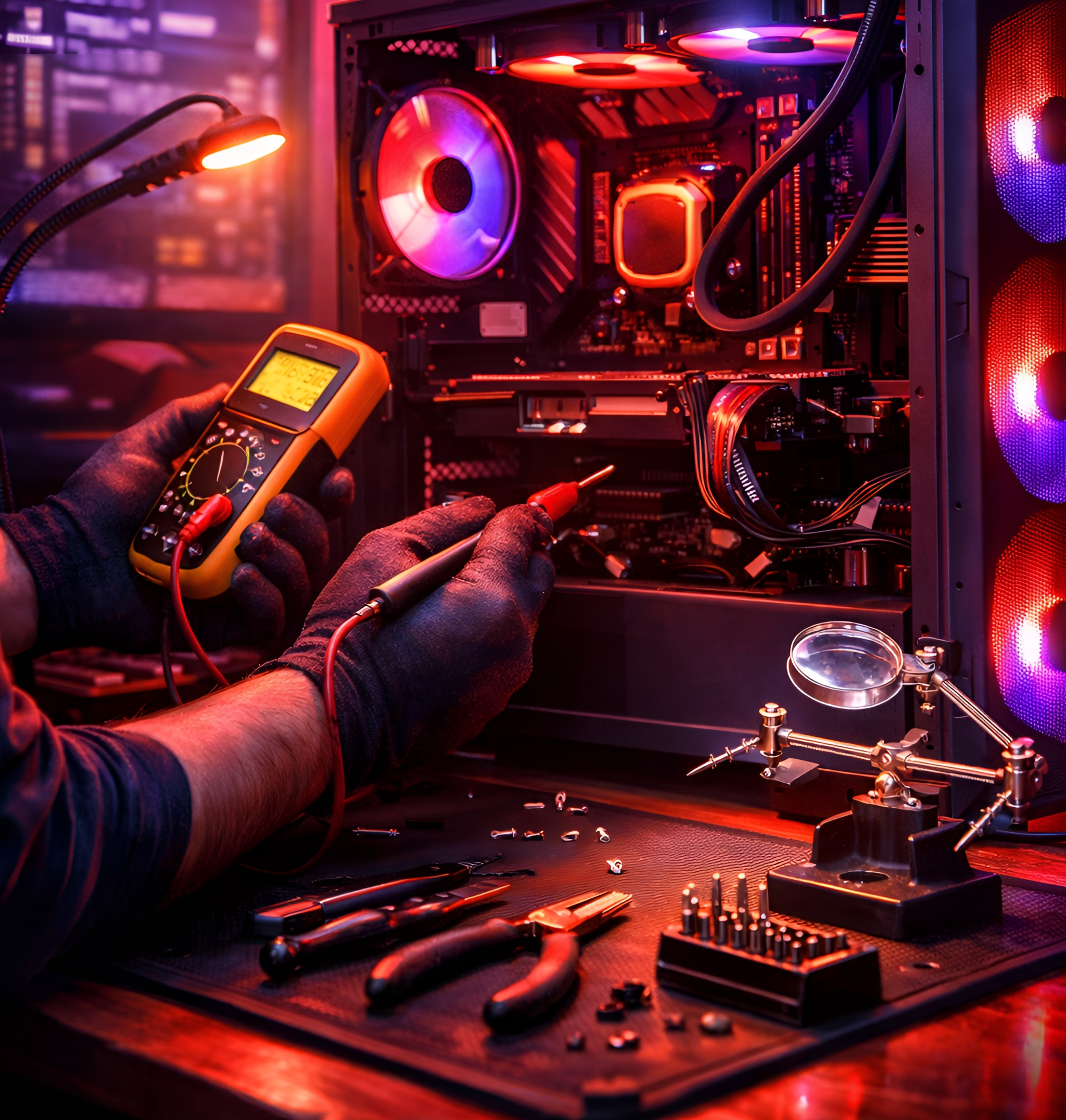
Crashing in games, running hot and loud, or a new build that won’t start? We come to you, find the cause and fix it, and upgrade what is holding the machine back. We repair graphics cards (GPUs) ourselves, at board level, and we build custom gaming PCs to order.
Yes. We repair gaming PCs that crash in games, overheat, run slowly or won’t start, including brand-new self-builds, and we repair graphics cards ourselves at board level. We also upgrade coolers, cases and memory, and build custom gaming PCs to order. We come to you, and your quote comes first.
What we fix
Repairs and upgrades for gaming PCs.
Whether you built it yourself or bought it built.
Won’t start or keeps crashing
New builds that won’t power on, and machines that crash, freeze or restart in games.
Overheating and noise
Coolers fitted properly or upgraded, so the PC runs cooler and quieter.
Graphics cards (GPUs)
Repaired by us, at board level, instead of written off.
Memory, coolers, cases and RGB controllers; whole-system upgrades with part-exchange.
Built to order
A custom gaming PC build, made for how you play.
We build custom gaming PCs to order: a bespoke machine, not a box off the shelf.
Bespoke, around you
Tell us the games you play and the screen you play on. A custom gaming PC build is planned around that, from esports at high frame rates to 1440p and 4K.
From a team that repairs them
We repair gaming PCs, so we know what tends to go wrong in them, and we plan the build with that in mind.
Your quote comes first
You agree what goes into the PC, and the quote, before any work starts.
Symptoms
What it usually turns out to be
What you see, what is usually behind it, and what to do now. The diagnosis confirms it before any work starts.
It crashes in games
Usually
Heat, unstable memory or settings, a driver, or a power supply that can’t keep up. One customer’s crashes came from plastic their builder had left on the processor.
What to do now
Note when it happens and which games; check the temperatures if you can.
A new build won’t power on
Usually
A power cable not fully home, memory not seated, or the case’s power-button lead on the wrong pins.
What to do now
Don’t keep swapping parts one by one; the fault is often simple once it is tested properly.
It runs hot and loud
Usually
Dust, dried thermal paste, or a cooler that isn’t fitted or sized properly.
What to do now
Keep the vents clear and stop overclocking until it is checked.
The frame rate has dropped
Usually
The PC slowing itself down because it is too hot, an old driver, or one part holding the rest back.
What to do now
Tell us the game and the settings; we look at heat first.
No picture, but the fans spin
Usually
The screen plugged into the wrong port, a graphics card not seated, or a fault on the card.
What to do now
Check the screen is plugged into the graphics card, not the board.
Blue screens
Usually
Drivers, memory, or overclock settings; sometimes a failing drive.
What to do now
Write down the error code on the blue screen; it points us to the cause.
How it works
How a repair works
Step 1
Tell us what’s wrong
Book online, send a photo or a video of the fault on WhatsApp, or call.
Step 2
We come to you
At home or at work, at a time that suits you. Rather bring it to us? Call first and we’ll arrange it.
Step 3
Your quote, then the fix
Your quote comes first. No fix, no fee: if we can’t fix it, you pay nothing. Warranty: 1 to 12 months, confirmed with your quote, before any work starts.
Real jobs
Real gaming PC jobs we’ve done.
Every job is quoted on its own. These are jobs we have actually done, and what a customer wrote.
A job we did
Brand-new self-build that would not power on
The customer had just built the machine themselves and it would not start. We came out the same day, diagnosed the fault on the spot and fixed it there and then, with no need to take the PC away.
A job we did
Upgrade with part-exchange, old machine recycled
The customer wanted current-generation performance. We upgraded the system to the latest generation and took the old machine away to be recycled, part-exchanging the usable parts to bring the bill down.
“I was having Pc game crashes due to my pc builder leaving plastic on my cpu. This company came and fixed the problem really quick. Not only that they then helped me upgrade my cpu cooler then upgraded my case. And added an RGB controller. Rebooted in for next month to upgrade my ram to 64gb from 32.”
SLSamuel LawtonGoogle review · Game crashes and upgrades
Something else? Send a message on WhatsApp and we’ll answer.
Do you come to me, or do I bring the PC in?
Either. We come to homes across Hertfordshire, Bedfordshire, London, Birmingham and Leicester and the towns around them. If you’d rather bring it to us, call first: our workshop takes drop-offs by arrangement.
How quickly can you come?
We usually come to you within 24 hours, unless we are really busy. Many small repairs and upgrades are done and back with you within 24 hours.
Can you fix a PC I built myself?
Yes. One of the jobs above was a brand-new self-build that wouldn’t power on, fixed on the same visit.
Do you repair graphics cards, or only replace them?
We repair graphics cards ourselves, at board level. If a repair isn’t worth it, we say so before any work starts.
Do you build custom gaming PCs?
Yes. We build custom gaming PCs to order, planned around the games you play and the screen you play on, from esports to 1440p and 4K. Call or send us a message on WhatsApp and your quote comes first.
Can you upgrade my gaming PC?
Yes: memory, coolers, cases and RGB controllers, or a move to current-generation parts, with your old parts part-exchanged to bring the bill down.
What will it cost?
Every job is quoted on its own, before any work starts. No fix, no fee: if we can’t fix it, you pay nothing. Warranty: 1 to 12 months, confirmed with your quote, before any work starts.
Gaming PC playing up? Send us a video of the fault.
A short video on WhatsApp often shows us the problem straight away. Your quote comes first.