
iMac screen replacement in Watford: cracked or dark display?
Quick answer
Cracked or dark display?
iMac screen replacement in Watford covers cracked glass, dead backlights, vertical lines and the dust trapped behind the panel, on every iMac generation from older aluminium models to Retina 5K machines. An iMac screen is bonded to the chassis with adhesive around the entire edge.
By Hyper Tech TeamUpdated
- We come to you.
- No fix, no fee: if we can’t fix it, you pay nothing.
- Warranty: 1 to 12 months, confirmed with your quote, before any work starts.
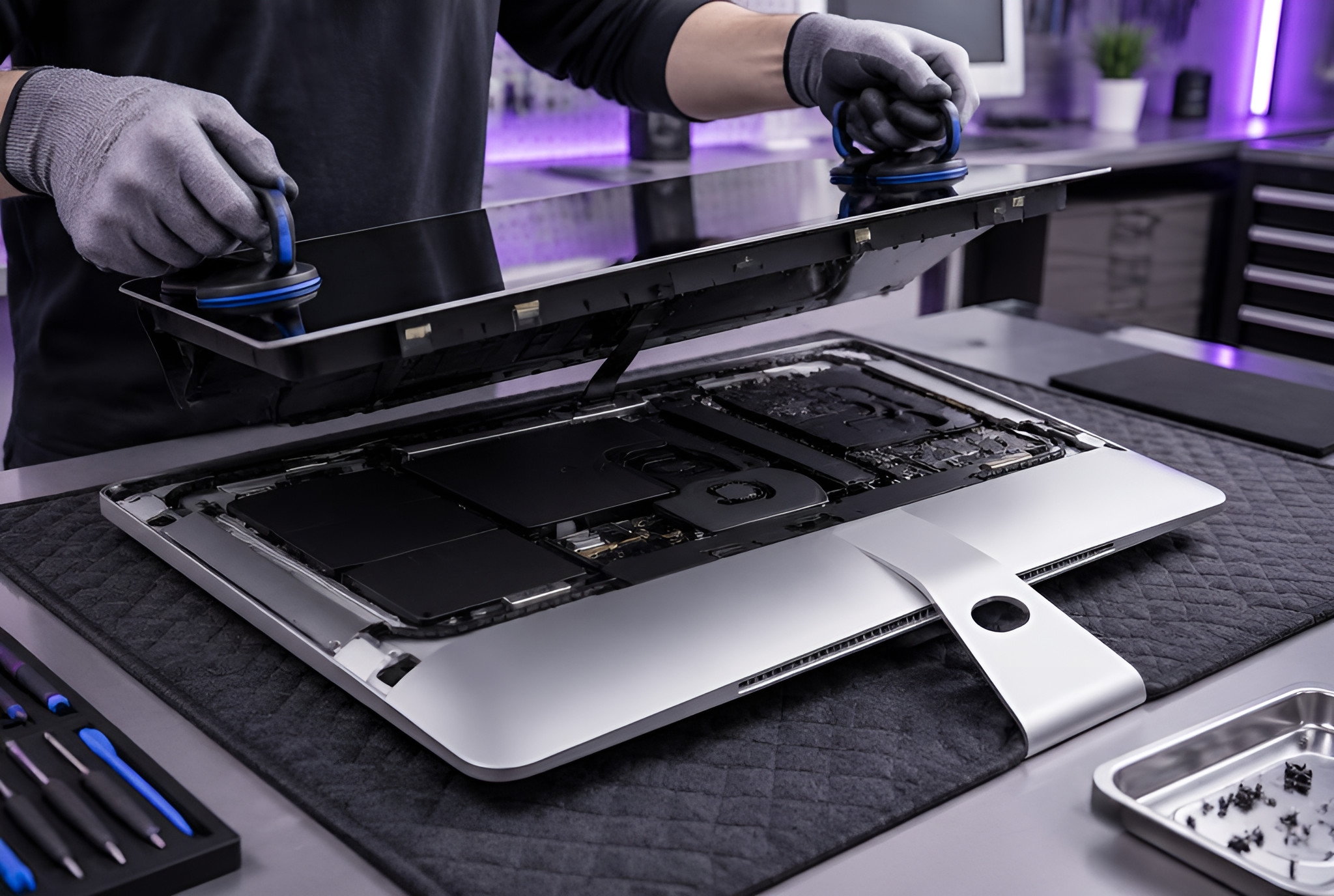
Opening one without cracking a corner takes a cutting wheel, suction handles and fresh adhesive strips (the glue strips that seal the screen in place) to reseal it, which is exactly why most repair shops quote you for a replacement machine instead.
iMac screen replacement in Watford: display symptoms and what they mean
Not every iMac display fault needs a new panel. Here is how we read the symptoms before quoting.
| What You See | Likely Cause | What It Needs |
|---|---|---|
| Cracked or shattered glass | Impact damage | Panel replacement |
| Very dark, faint image visible | Backlight failure | Backlight or board repair |
| Vertical or horizontal lines | Panel or display cable | Cable and panel testing |
| Dust or marks behind the glass | Failed edge seal | Open, clean and reseal |
| Flickering or colour shift | Cable or graphics fault | Full display diagnosis |
| Black screen, machine running | Backlight or graphics | Component isolation |
Replacing the whole iMac
- A new machine over one failed part
- Your setup, licences and files all move
- The old machine becomes e-waste
- By far the most expensive route
Replacing just the display
- A fraction of a new iMac
- Everything stays exactly as it is
- Usually back with you in days
- Warranty: 1 to 12 months, confirmed with your quote, before any work starts.
Quick checks before you call
- Look very closely in a dark room for a faint image, that means the backlight not the panel
- Connect the iMac to another display if your model supports it
- Note whether the fault is behind the glass or on the surface
- Check whether lines appear from cold boot or only after warming up
- Note any recent knock, move or transport
If you are not sure which it is, we will diagnose it properly rather than guessing. You can also check the manufacturer support pages for known display issues affecting your model, but if the fault is the panel or the cable we will find it and fix it.
How our iMac screen replacement service works
On-site assessment
We come to you, because an iMac is awkward to move and often better assessed in place.
Display isolation
Backlight (the light behind the screen), cable, panel and graphics output tested one by one before a quote.
Safe opening
Adhesive cut cleanly and the glass lifted on suction handles, no prying at the corners.
Reseal and colour test
New adhesive, full reseal, then brightness and colour checked before handover.
iMac screen replacement: your questions answered
Is an iMac screen replacement worth it?
Almost always. The panel is one part of an otherwise healthy computer, and replacing it costs a fraction of a new iMac.
My iMac screen is black but I can hear it running, is the panel dead?
Not necessarily. If you can see a very faint image in a dark room it is the backlight, which is a smaller repair than a new panel.
Can you get the dust out from behind the glass?
Yes. It means opening the display and resealing it, which is the same process as a panel swap, so it is worth doing alongside any other display work.
Do you replace 5K Retina displays?
Yes, across the iMac range including 4K and 5K Retina models, matched on resolution and brightness.
Will I lose my files?
No. A display repair does not touch the drive or your data at all.
Why iMac screen replacement is worth doing right
A display fault is the single most common reason a perfectly healthy iMac gets retired early. The computer behind the glass is almost always fine.
Diagnosed before quoting
Backlight, cable, panel and graphics are isolated separately, so you never pay for a panel when the fault was the cable.
Correct panel grade
Retina 4K and 5K panels are matched on resolution, brightness and colour so the display looks as it did originally.
Proper reseal
Fresh adhesive strips around the full edge, so there is no dust line, no lifting corner and no gap afterwards.
Do not try to lever the glass off yourself
iMac glass is bonded, not clipped. Prying at it with a knife or a card cracks the corners almost every time, and a cracked chassis turns a display job into a much larger repair. It needs a cutting wheel and suction handles.
Brands we repair
We replace and repair displays across the full iMac range, from older aluminium models to current Apple Silicon machines.
- iMac 21.5 inch
- iMac 24 inch
- iMac 27 inch
- iMac Retina 4K
- iMac Retina 5K
- iMac Pro
- Intel iMacs
- Apple Silicon iMacs
Typical iMac display turnaround
Day 1: Call-out and the display fault isolated on site
Many problems are fixed on the spot; some repairs need the workshop.
2-4 days: Panel sourced and fitted, adhesive cured properly rather than rushed
Where we come
We come to you at home or at work in Watford. Rather bring it to us? Call first and we’ll arrange it.