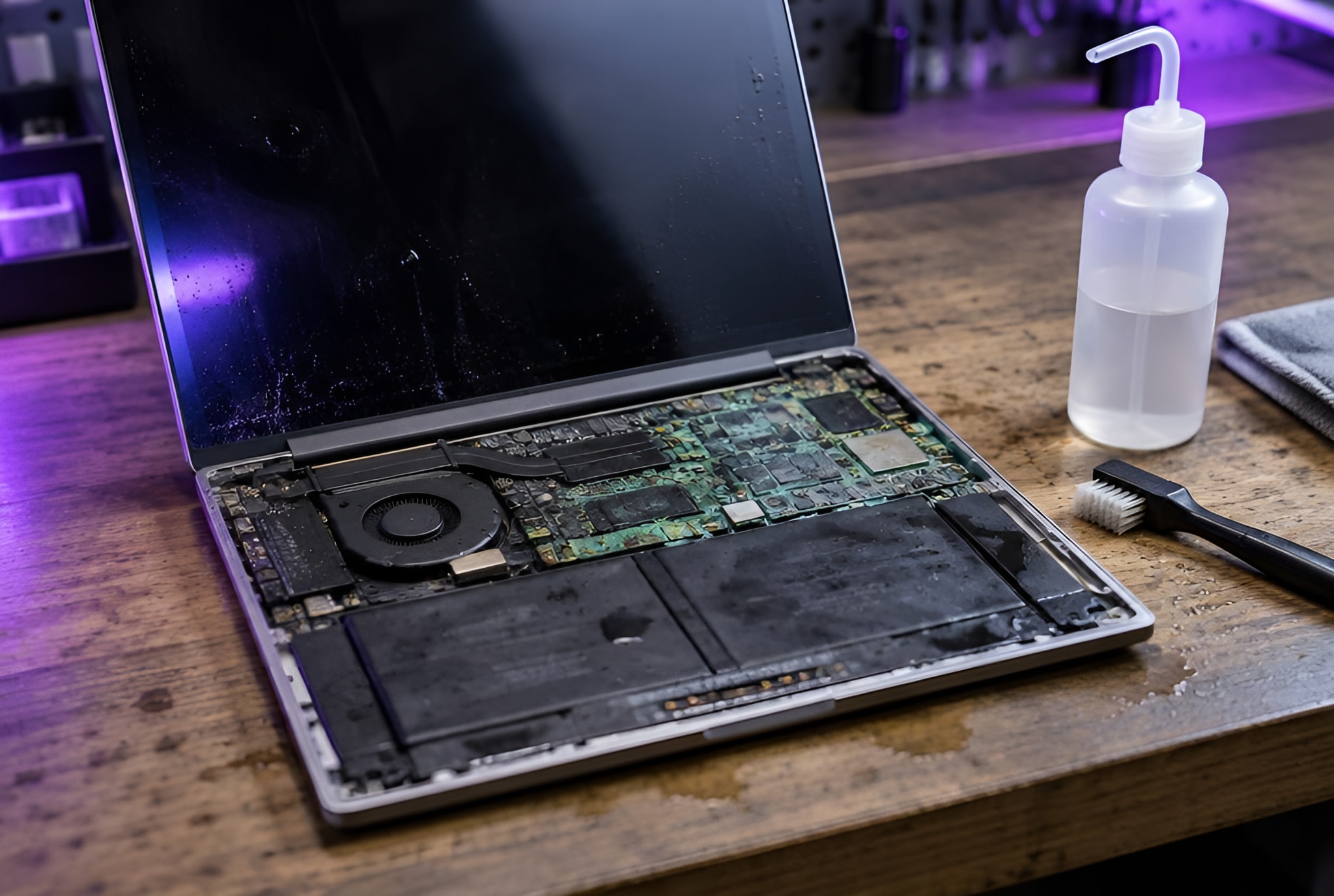
Most shops replace a faulty motherboard or write the machine off. We find the fault on the board itself and repair it, motherboards and graphics cards alike: the difference between a repair and a new computer.
Often, yes. We diagnose the fault on the board itself and repair it, rather than replacing the whole board or writing the machine off, and we do the same for graphics cards. You get a quote before any work starts, and if a board isn’t worth repairing, we say so.
What we fix
Faults on the board, found and fixed.
Laptops, desktop PCs and gaming PCs.
Graphics cards
Repaired by us at board level, including cards that failed under load.
What you see, what is usually behind it, and what to do now. The diagnosis confirms it before any work starts.
No lights, no fans, nothing
Usually
The power supply or charger, or a fault on the board that shares the power out.
What to do now
Try another socket, then stop: repeated attempts don’t help a board fault.
Lines, dots or colours on the screen
Usually
Often the graphics: a failing graphics card or graphics chip.
What to do now
Note when it happens (from the start, or only in games) and send a photo.
It crashes under load
Usually
Heat, the power supply, memory or the graphics card struggling when it works hardest.
What to do now
Tell us what you were doing when it crashed; games and video are clues.
A burning smell or a pop
Usually
A failed part on the board or in the power supply.
What to do now
Unplug it straight away and don’t switch it on again.
Beeps or flashing lights at start-up
Usually
The board reporting a fault, often the memory.
What to do now
Count the beeps or flashes, or film them: they point to the part.
It died after a spill
Usually
Liquid on the board, which keeps corroding while there is power.
What to do now
Unplug it, take the battery out if you can, and don’t switch it on to check.
How it works
How a repair works
Step 1
Tell us what happened
Call, send a message or a video of the fault on WhatsApp, or book online.
Step 2
We come to you
At home or at work, at a time that suits you. Rather bring it to us? Call first and we’ll arrange it.
Step 3
Diagnosis, then your quote
We find the faulty part first, and your quote comes before any work. No fix, no fee: if we can’t fix it, you pay nothing. Warranty: 1 to 12 months, confirmed with your quote, before any work starts.
Real jobs
A real board job, and a build someone got wrong.
Every job is quoted on its own. This is a job we have actually done, and what a customer wrote.
A job we did
Dead PC, no lights at all, and the data mattered
The machine would not power on: no lights, no fans, nothing. The customer needed what was on it. We diagnosed a failed motherboard and faulty memory, replaced both, and recovered and restored the data.
“I was having Pc game crashes due to my pc builder leaving plastic on my cpu. This company came and fixed the problem really quick. Not only that they then helped me upgrade my cpu cooler then upgraded my case. And added an RGB controller. Rebooted in for next month to upgrade my ram to 64gb from 32.”
SLSamuel LawtonGoogle review · Game crashes and upgrades
Something else? Send a message on WhatsApp and we’ll answer.
Is it worth repairing a motherboard?
Often, yes: a repair on the board usually costs less than a new board and keeps your machine as it is. If it isn’t worth it, we say so before any work starts.
Do you repair graphics cards, or only replace them?
We repair graphics cards ourselves, at board level. If a repair isn’t worth it, we say so before any work starts.
Can you get my files off a dead machine?
Usually the files are on a drive that has nothing wrong with it. We get them off first, then repair. In one dead PC, the board and memory had failed, and the data was recovered and restored.
Do you come to me?
Yes. We come to homes and offices across Hertfordshire, Bedfordshire, London, Birmingham and Leicester and the towns around them. If you’d rather bring it to us, call first: our workshop takes drop-offs by arrangement.
What will it cost?
Every job is quoted on its own, before any work starts. No fix, no fee: if we can’t fix it, you pay nothing. Warranty: 1 to 12 months, confirmed with your quote, before any work starts.
Told it’s a write-off? Let us look at the board.
Send a message or a video of the fault on WhatsApp. Your quote comes first.