Blue screen repair in Luton: blue screen of death keeps crashing your PC?
Quick answer
Blue screen of death keeps crashing your PC?
Blue screen repair in Luton is one of the most stressful calls we take, because a computer that suddenly flashes a blue screen and restarts feels like it could be dying. The truth is far less scary. A blue screen is simply Windows stopping to protect itself, and once you know what triggered it, the fix is usually straightforward.
By Hyper Tech TeamUpdated
- We come to you.
- No fix, no fee: if we can’t fix it, you pay nothing.
- Warranty: 1 to 12 months, confirmed with your quote, before any work starts.
Hyper Tech Team is your local crash and stability specialist. Warranty: 1 to 12 months, confirmed with your quote, before any work starts. This guide explains what a blue screen really means, what you can safely check, and how we stop the crashes for good.
What a blue screen really means
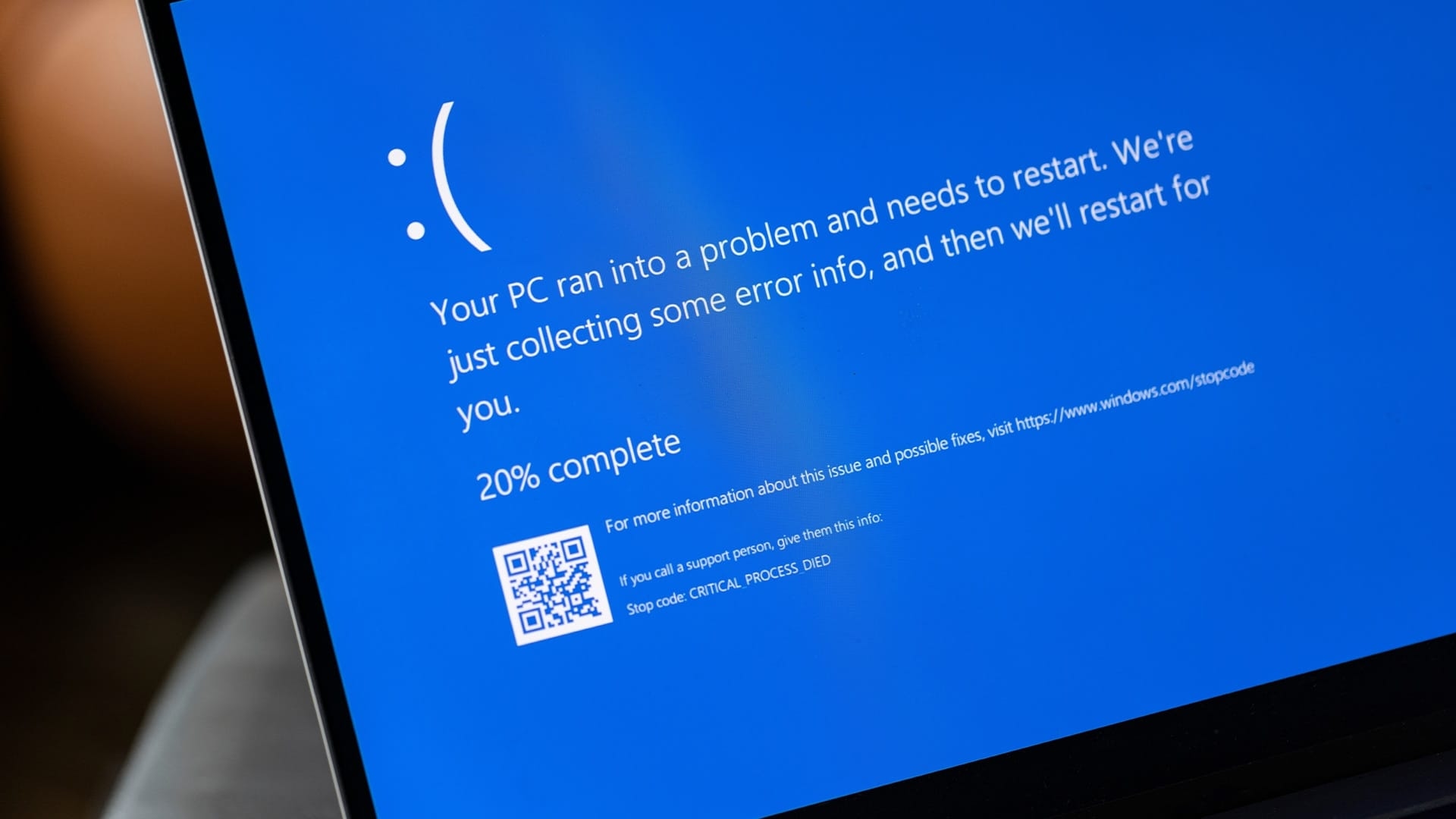
A blue screen repair job begins with the stop code shown on that blue screen. It is Windows telling you it hit a problem it could not safely continue past, so it stopped to protect your data and hardware. The code and the timing point us straight to the cause, as the table below shows.
| When the crash happens | Most likely cause |
|---|---|
| Random crashes at any time | Faulty RAM or a failing hard drive |
| Crashes after a Windows update | A bad driver or update conflict |
| Crashes under load or when gaming | Overheating or a struggling power supply |
| Crashes on startup, before the desktop | Corrupt system files or a boot fault |
| Same stop code every time | A specific hardware or driver fault to trace |
The most common causes of blue screen crashes
Faulty RAM
Bad memory is a leading cause of random crashes. In a blue screen repair job we test each stick, and a simple replacement often ends a run of blue screens that has plagued a machine for months.
A failing hard drive or SSD
When a drive develops errors, Windows can crash as it tries to read damaged areas. Every blue screen repair diagnosis checks drive health early, because catching this protects your files as well as your stability.
Bad drivers and updates
A faulty graphics or chipset driver, or a botched update, is a frequent trigger. In a blue screen repair visit, rolling back or cleanly reinstalling the right driver is often the entire fix.
Overheating and power problems
Heat and a weak power supply both cause sudden shutdowns that look like blue screens. Our blue screen repair service rules these out as part of every diagnosis.
Do this first: safe checks before you call
- Write down the stop code. The line beginning with a code such as MEMORY_MANAGEMENT is the single most useful clue.
- Undo recent changes. If it started after new hardware or software, remove it and see if the crashes stop.
- Update or roll back drivers. Especially graphics drivers, which are a common culprit.
- Run the built-in checks. Microsoft has clear steps for blue screen errors in their official troubleshooting guide.
The stop code on a blue screen is not a threat, it is a signpost. Read it early and note it down, and the repair almost always points itself out.
Hyper Tech Team, Luton
How our blue screen repair works
- We come to you with a call-out and read the crash logs and stop codes.
- We test the memory, drive health, temperatures and drivers to isolate the true cause.
- We give you a clear fixed price before any work begins.
- We carry out the fix, from RAM or drive replacement to driver and system repair, then stress test it with you.
Blue screen repair in Luton: your questions answered
Will I lose my files after a blue screen?
Usually not. A blue screen repair job protects your data wherever possible, and if a failing drive is the cause we can recover your files before replacing it.
Is a blue screen always a hardware fault?
No. It is often a driver or software conflict, which is quicker and cheaper to fix. That is exactly why a proper blue screen repair diagnosis matters before anyone replaces parts.
How long does the repair take?
Many problems are fixed on the spot; some repairs need the workshop. Hardware faults such as RAM or a drive are usually resolved within a couple of hours including testing.
Do you cover my area?
Yes. We cover all of Luton and the surrounding towns with a call-out, so there is no need to travel to a shop.
Where we come
We come to you at home or at work in Luton. Rather bring it to us? Call first and we’ll arrange it.