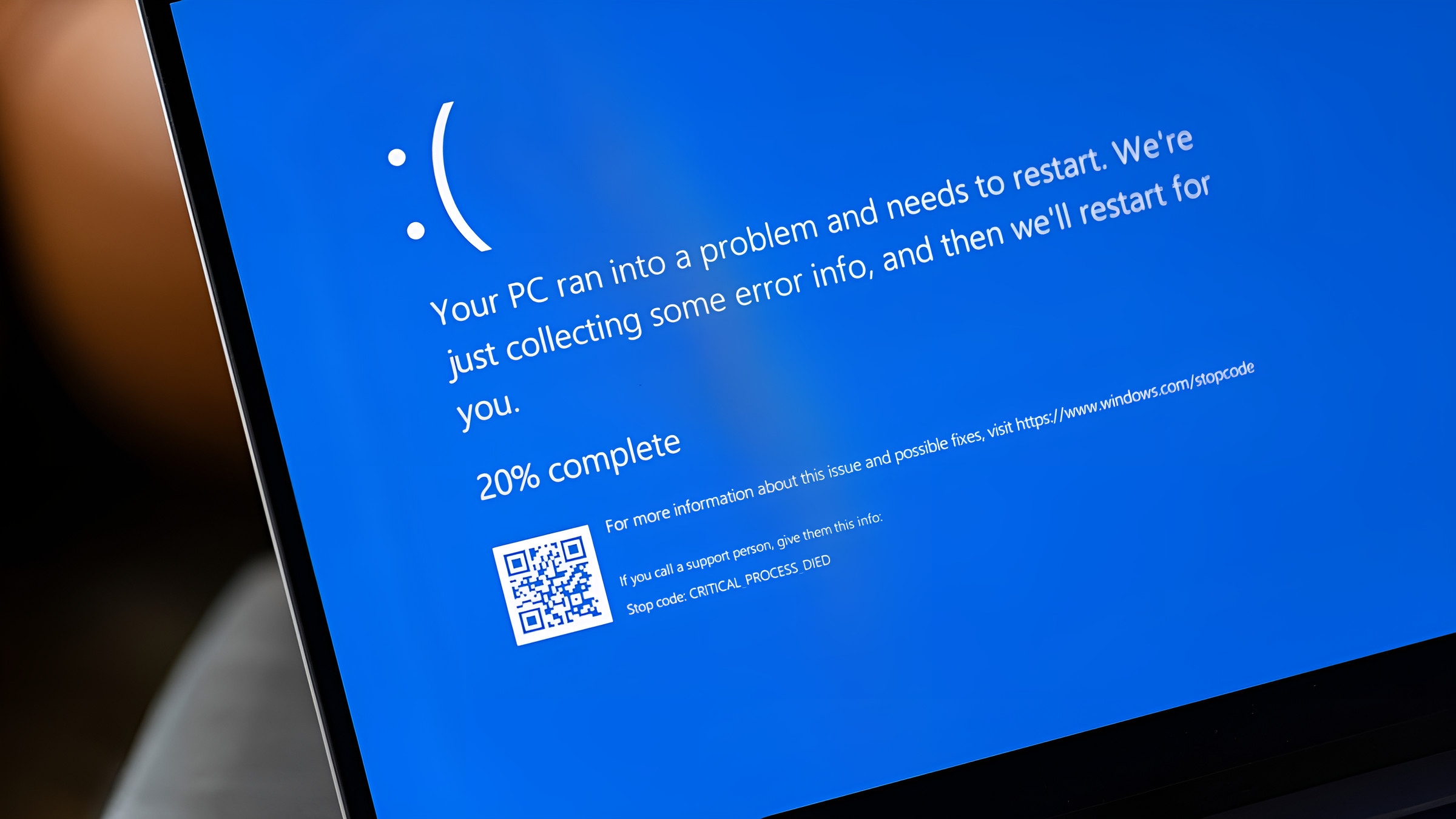
A computer that takes minutes to start, freezes, or shows a blue screen since the last update. We find out why, then repair it, upgrade it or reinstall it cleanly with your files kept. We come to you, and your quote comes first.
Usually, yes. We find why a computer has slowed down, freezes, shows blue screens or won’t start properly: a failing drive, too little memory, a bad update or a damaged system. Then we repair it, upgrade it or reinstall it cleanly with your files kept, and your quote comes first.
What we fix
Speed and stability, back where they belong.
Windows PCs and laptops, and Macs too.
Slow computers
Speed restored: clean-ups and updates and, where it helps, an SSD or more memory.
Blue screens
The stop code read and the cause fixed, not just the crash cleared.
Start-up problems
Computers that won’t start, or never reach Windows.
What you see, what is usually behind it, and what to do now. The diagnosis confirms it before any work starts.
It takes minutes to start
Usually
An old spinning hard drive, or too many programs starting with Windows.
What to do now
Ask about an SSD: on an older computer it is often the biggest single change.
A blue screen with a stop code
Usually
A driver, the memory or the drive; sometimes a recent update.
What to do now
Take a photo of the blue screen: the stop code points to the cause.
The fan roars and everything freezes
Usually
Something busy in the background, or heat.
What to do now
Note when it happens; keep the vents clear.
Problems started after an update
Usually
An update that failed part-way, or a driver it replaced.
What to do now
Don’t keep re-running the update; tell us the date it started.
Error messages at start-up
Usually
A program or a part of Windows that is damaged or missing.
What to do now
A photo of the message helps us bring what it needs.
It has been slow for years
Usually
An ageing drive and a system that has filled up.
What to do now
Ask us whether an upgrade is worth it before you buy a new computer.
How it works
How a repair works
Step 1
Tell us what’s wrong
Book online, send a photo of the error on WhatsApp, or call.
Step 2
We come to you
At home or at work, at a time that suits you. Rather bring it to us? Call first and we’ll arrange it.
Step 3
Your quote, then the fix
Your quote comes first. No fix, no fee: if we can’t fix it, you pay nothing. Warranty: 1 to 12 months, confirmed with your quote, before any work starts.
Real jobs
Real jobs, and what customers wrote.
Every job is quoted on its own. This is a job we have actually done, and what our customers wrote.
A job we did
Upgrade with part-exchange, old machine recycled
The customer wanted current-generation performance. We upgraded the system to the latest generation and took the old machine away to be recycled, part-exchanging the usable parts to bring the bill down.
“I needed an urgent fix of my wife's desktop and within the day they came directly to me and fixed the issue.”
Something else? Send a message on WhatsApp and we’ll answer.
Will a reset delete my files?
Not when we do it: we keep your files, or copy them off first, before Windows is reset or reinstalled.
How quickly can you come?
We usually come to you within 24 hours, unless we are really busy. Many small repairs and upgrades are done and back with you within 24 hours.
Is it worth fixing an old computer?
Often, yes: an SSD and a clean system can add years. If it isn’t worth it, we say so before any work starts.
What does a blue screen mean?
Windows stopped to protect itself from a fault, often a driver, the memory or the drive. The stop code on the screen is the clue, so take a photo of it.
Do you come to me?
Yes. We come to homes and offices across Hertfordshire, Bedfordshire, London, Birmingham and Leicester and the towns around them. If you’d rather bring it to us, call first: our workshop takes drop-offs by arrangement.
What will it cost?
Every job is quoted on its own, before any work starts. No fix, no fee: if we can’t fix it, you pay nothing. Warranty: 1 to 12 months, confirmed with your quote, before any work starts.
Slow or crashing? Tell us what it does.
A photo of the error or the blue screen on WhatsApp helps. Your quote comes first.